Online Football Trivia: Put What You Know to the Test
A good football trivia game isn't won from memory, it's won from association: recognizing which player fits a condition before time runs out. Here's how the different formats work, and how they're played in FutDraft — free, right in your browser.
Football trivia formats
Multiple-choice question
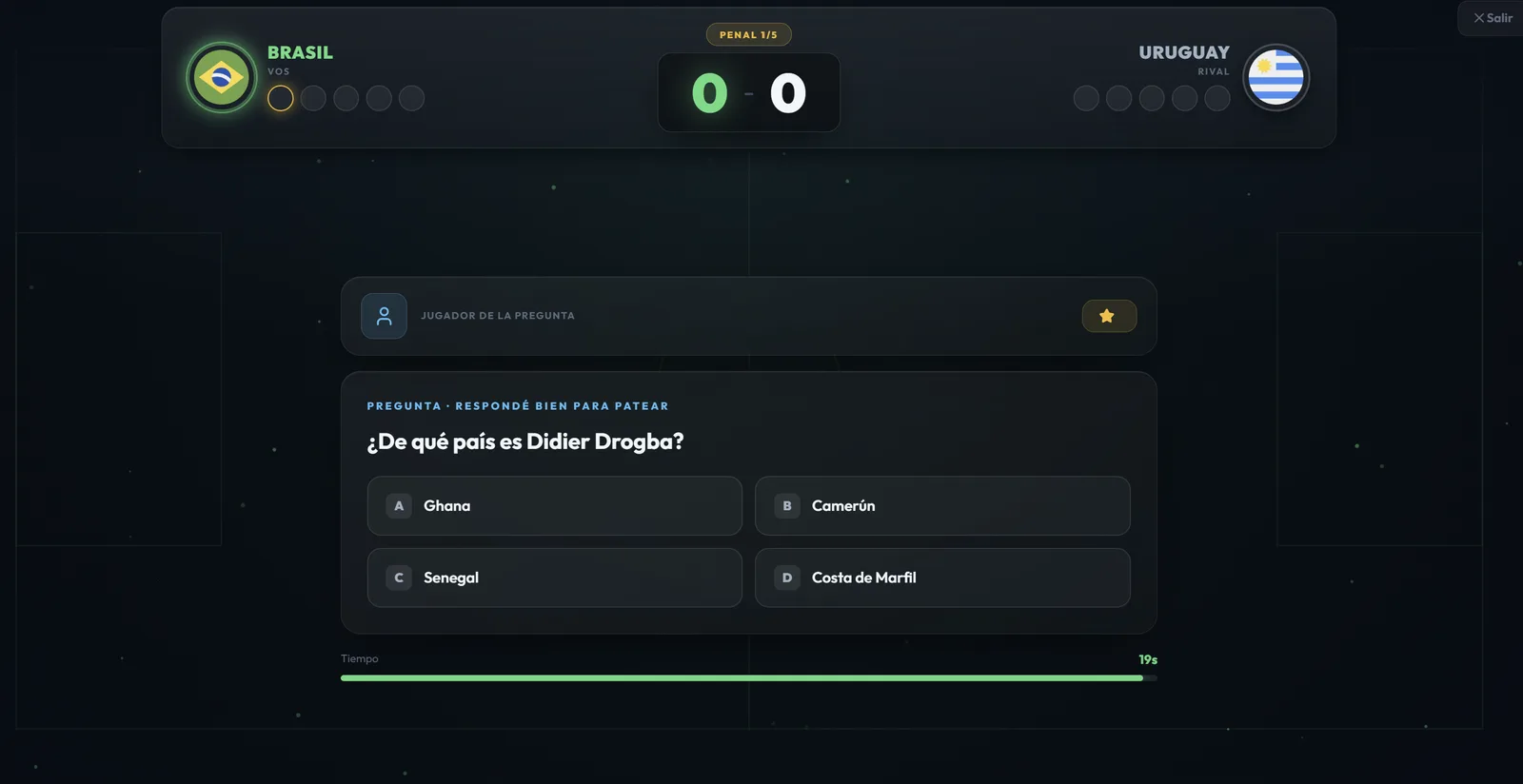
The classic: one question, four options, a time limit. "What country is Didier Drogba from?", "Who won the 1986 World Cup?" It's the most direct format and the easiest to pick up and play any time.
Open clue
Instead of giving you options, they give you a condition and you have to come up with the name yourself: "a player who's been world champion," "someone who played for Barcelona." It's considerably harder, because the universe of possible answers is huge and there are no hints.
Guess the player
Details get revealed bit by bit — nationality, position, clubs — until it clicks. It rewards deduction more than a random fact.
How trivia works in FutDraft
FutDraft uses two of these formats — the open clue in Daily Challenges and Head to Head, and the multiple-choice question in World Cup Mode — and mixes them with a layer of strategy.
Clues: the heart of the game
In Daily Challenges and Head to Head, every match has 11 rounds, one for each spot in the formation. Each round gives you a clue, and you have 20 seconds to pick a real player who fits it, out of a pool of more than 3,300 players. Your answer is validated instantly: green if it fits, red if it doesn't.
Here's the interesting part: getting it right isn't enough. Since the teams end up compared position by position, it pays to pick the highest-caliber player who fits the clue — and that's where the trivia turns into a decision. The whole mechanic is covered in the game rules.
Questions: World Cup Mode
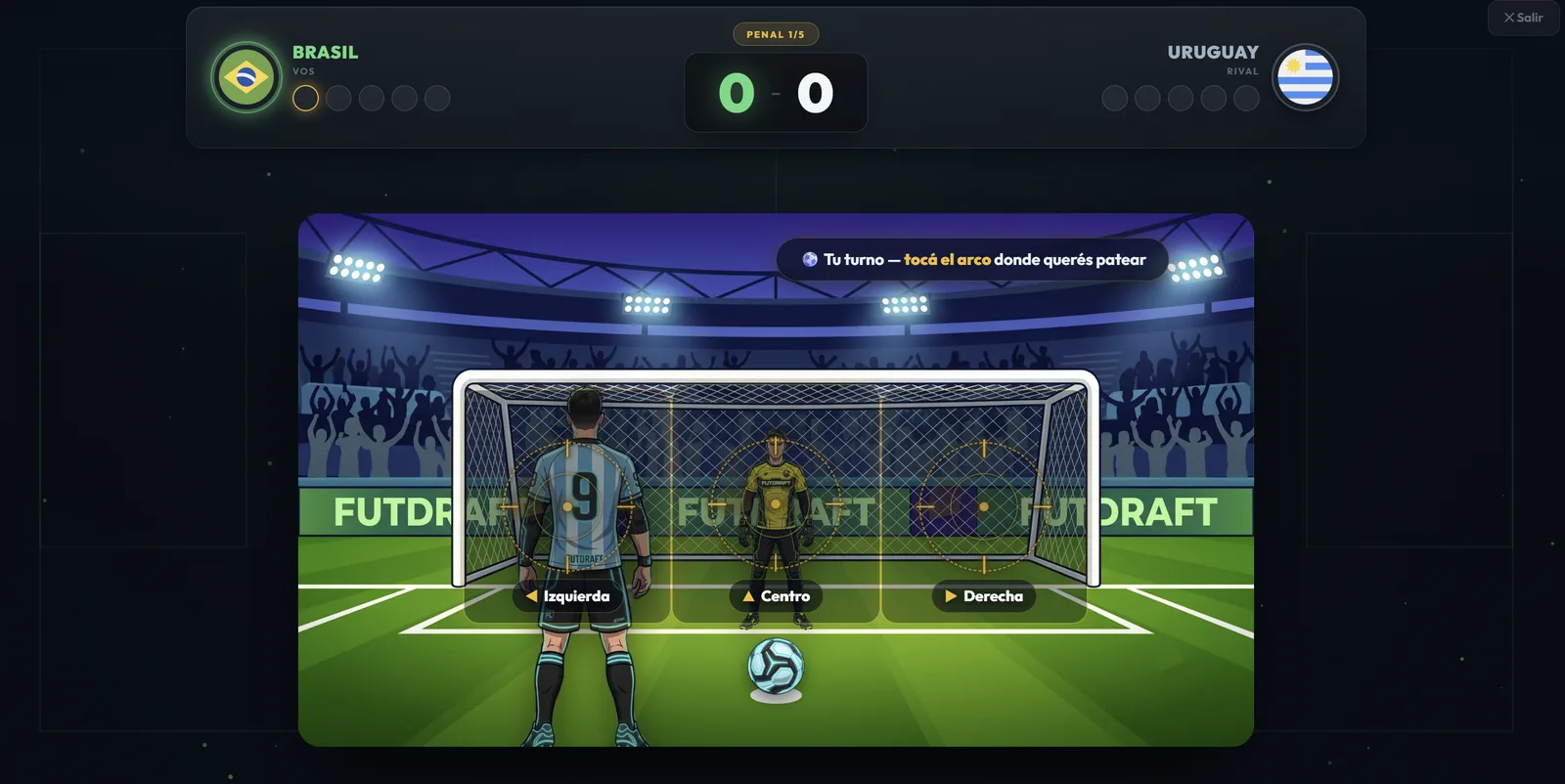
In World Cup Mode every tie is decided on penalties, but to take your shot you first have to answer a multiple-choice question correctly. Get it wrong, and you don't kick. It's trivia with an immediate consequence.
Three difficulty levels
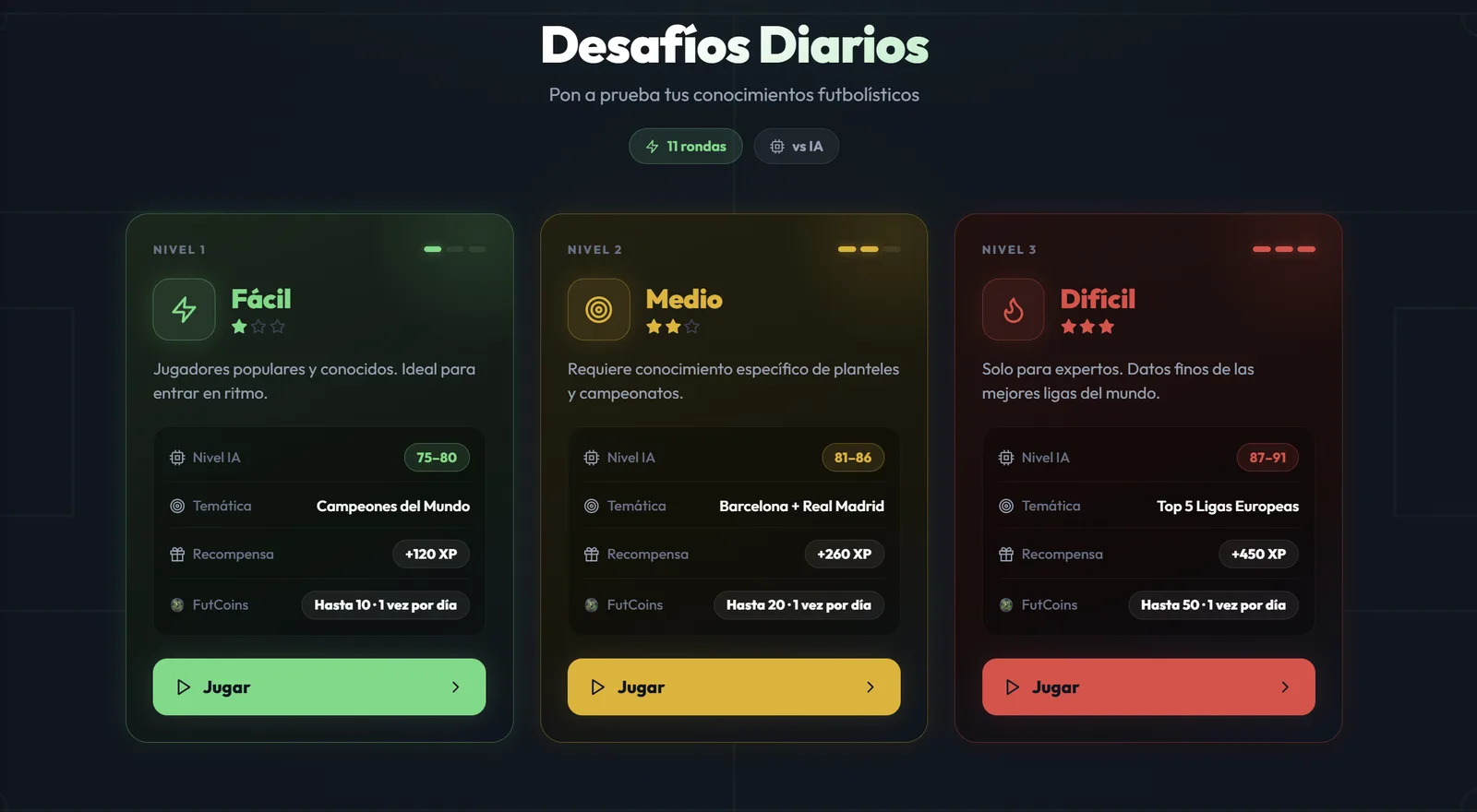
Daily Challenges are played against the AI and come in three levels, with new challenges every day. Difficulty doesn't just change the questions — it also changes how good the team your opponent builds is.
Easy
Popular, well-known players. Great for getting into the rhythm and understanding the mechanic.
Medium
Requires specific knowledge of squads and competitions.
Hard
For experts only: fine-grained knowledge of the world's best leagues.
Four tips to get more right
- Read the full clue before typing. Most mistakes come from rushing: it says "played for Real Madrid" and someone answers with a Barcelona player.
- Think about the position first. The clue is paired with a specific spot. A striker who fits does you no good if the round is asking for a center-back.
- When in doubt, go for caliber. If you're torn between two players who both fit, pick the more accomplished one — the final duel is decided position by position.
- Start on Easy. It's a good way to learn what kind of clues show up before you put trophies on the line in competitive mode.
Three new levels every day · Nothing to download