Play Football Online with Friends, in a Private Room
No need to coordinate awkward schedules or install anything: you create a room, share a six-digit code, and in under a minute you're both playing the same match, each from your own computer. Free, in the browser.
How it works, step by step
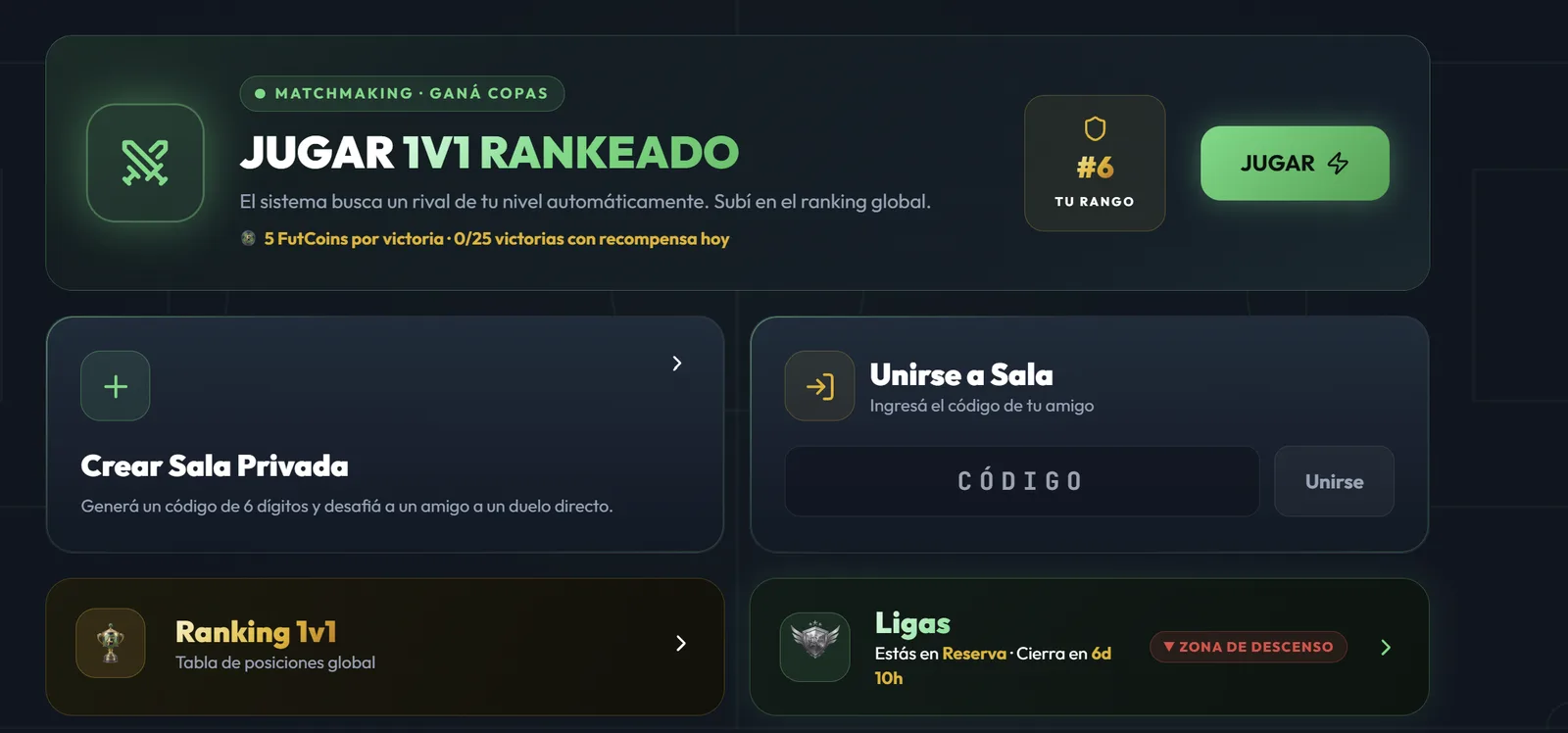
- Go to Head to Head. It's the section in the side menu where all the games against other people live.
- Create the private room. The game automatically generates a 6-digit code, unique to that match.
- Send the code to your friend. WhatsApp, Discord, shouting it from the next room — doesn't matter, the code is just text.
- Have them join. Your friend goes to Head to Head, types the code into "Join Room," and taps Join.
- That's it, play. Once you're both in, the match starts.
What happens inside the match
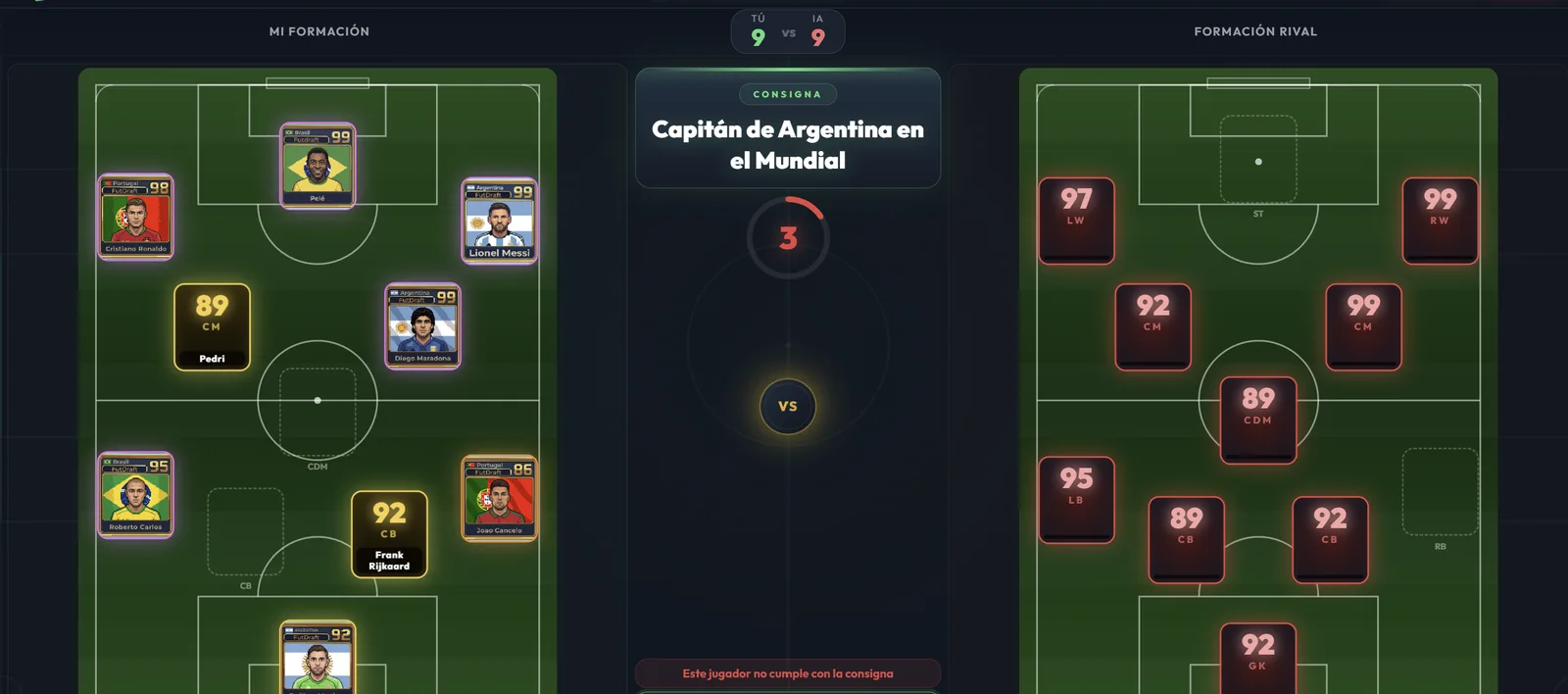
You both play at the same time, not in turns. Each round poses a football clue and a formation position, and you both get the same 20 seconds to pick a real player who fits it. You can see your opponent's formation filling up as you build yours, though you don't see which player they picked until the end.
After the 11 rounds comes the comparison: position by position, your player against theirs. Whoever wins more head-to-head duels wins. This part is important, and it surprises people at first: you can have the higher-average team and still lose, if that average is bunched up in only a few positions. The details are in the rules.
Private room or ranked match
These are two different things, and it's worth knowing which one you want:
- Private room: you choose who you play against. It's the mode for a friendly grudge match with a friend, regardless of who else is online.
- Ranked 1v1: the system automatically finds you an opponent at your level. It's the mode where you earn trophies, climb the global ranking, and compete in the weekly league.
Leagues reset every week with promotions and relegations, so the competition starts fresh often — there's no bad time to jump in.
What you both need
- A computer with a browser and an internet connection. Nothing to install.
- A free account each. It takes a minute to create, or you can sign in directly with Google or Apple.
- That's it. There's no cost to play, and anything you can buy in the shop is cosmetic: cards and pitch skins that give no competitive advantage.
If your friend plays from their phone, they can use the Android and iOS app: it shares the same account and the same progress as the web version, so one of you can be on a computer and the other on a phone. More details in the FAQ.
If the connection drops
If either of you disconnects mid-match, the game notifies the other player and waits a few seconds for a reconnect. If they don't come back, the match ends cleanly instead of being left half-finished. No need to start everything over because of a one-second internet hiccup.
Free · Nothing to download · 6-digit code